Version v1.8.4 Enterprise is ready

Experience the full power of NiNo Enterprise across every device

Install native desktop and mobile applications to unlock full hardware acceleration, seamless Offline-First resilience, specialized POS/warehouse peripheral integrations, and banking-grade Zero-Trust security.
Detected Operating System on your machine
NiNo for windows
Official 64-bit installer • Package size ~100 MB
Download now for windows
Code-signed & Verified
Cold start < 0.8s
Offline-First Engine
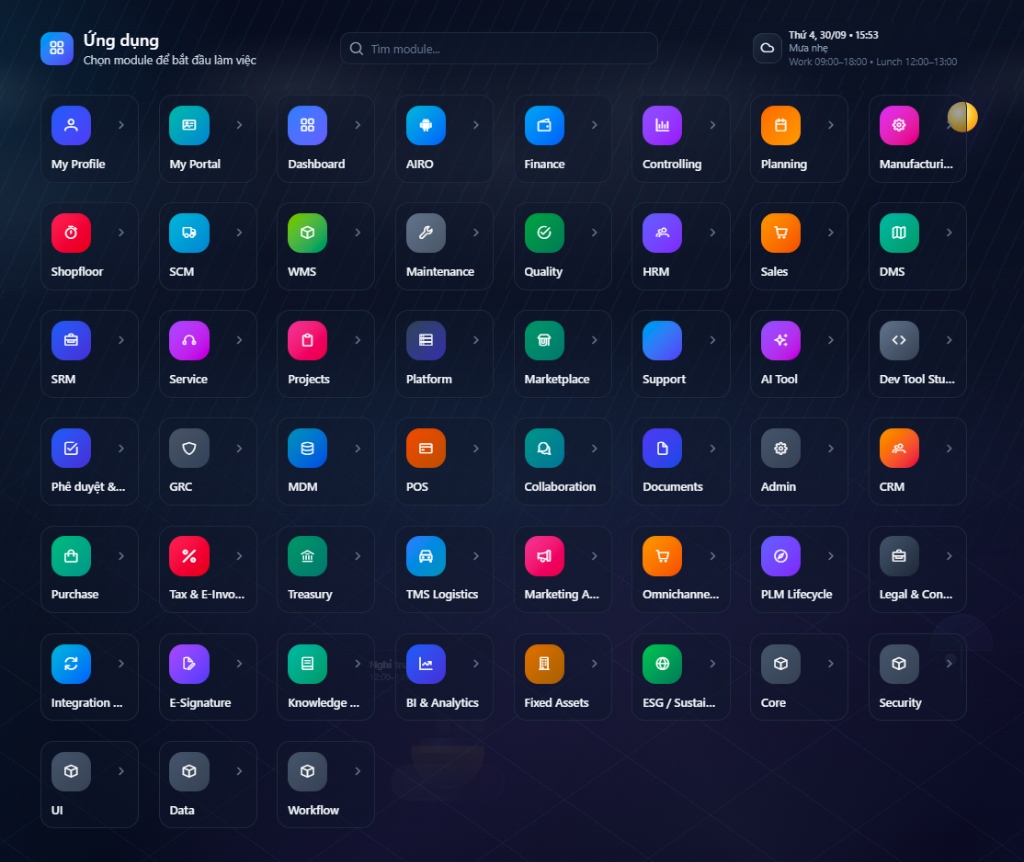
NiNo Enterprise Workspacev1.8.4 Connected
Enterprise Operations Center (36+ Modules)
Offline-First • SCM, WMS, HRM, POS, GRC, Finance, AI Tool

Desktop Applications

Native binary builds tailored for each desktop platform. Comprehensive hotkey support, deep OS taskbar and system tray integration, and real-time push notifications.

Last updated: Today • Official Distribution

Windows

v1.8.4-stable
64-bit
Recommended for office workstations & desktops
Requirements: Windows 10, Windows 11, Windows Server 2019+ (x64 / ARM64)
SHA256: e3b0c44298fc1c149afbf4c8...

macOS

v1.8.4-stable
64-bit
Optimized for Apple Silicon & Intel
Requirements: macOS Monterey (12.0) or higher
SHA256: 9f86d081884c7d659a2feaa0...

Linux

v1.8.4-stable
64-bit
Tailored for Dev workstations & Enterprise Linux
Requirements: glibc 2.28+ (Ubuntu 20.04+, RHEL 8+, Debian 11+)
SHA256: ca978112ca1bbdcafac231b3...

Mobile & Tablet Applications

Maintain nonstop enterprise operations right from your smartphone or tablet. Built specifically for supervisors, field sales, and logistics dispatchers.

Scan to install
Scan with camera

Android

v2.4.0 (Build 342)
Ultra-fast barcode & QR Code scanning with industrial cameras
GPS geolocation for field attendance & logistics proof-of-delivery
Digital contract signing & instant financial receipt approvals
Scan to install
Scan with camera

iOS / iPadOS

v2.4.0 (Build 342)
Optimized layout for iPad Pro displays and Apple Pencil annotations
Biometric security via Face ID / Touch ID with role-based auth
Real-time enterprise push notifications & background synchronization
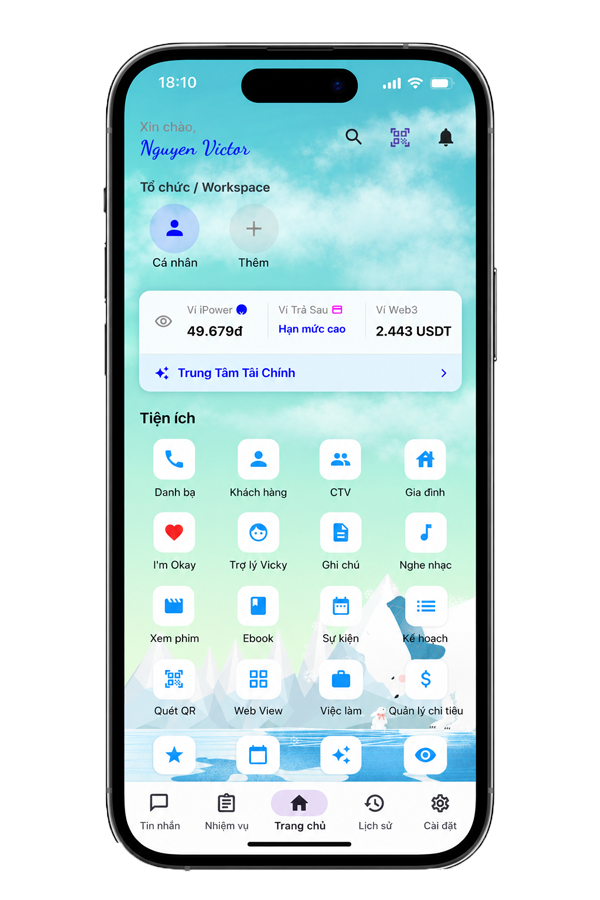
NiNo Application
iOS & Android
NiNo Mobile & Tablet Application Interface
Offline Sync Engine
Biometrics Security
Financial Hub & Web3
Instant QR Scanner
ENTERPRISE ARCHITECTURE

Why do enterprises prefer native installed applications?

Engineered for mission-critical, high-load work environments: manufacturing plants, supply chain warehouses, and high-frequency retail checkouts.

01

Breakthrough Offline-First Architecture

Eliminate network interruption anxiety. All POS transactions, inventory movements, and time tracking are saved to local encrypted SQLite/IndexedDB and synced bidirectionally (CRDT Conflict-free) once back online.

# Offline Resilience
02

Zero-Trust Security & Hardware Encryption

NiNo Desktop links directly to hardware security modules like TPM 2.0 (Windows) and Apple Secure Enclave (macOS). Session cryptographic keys are stored securely, preventing token theft and memory dumps.

# Hardware Grade
03

Deep Hardware Peripheral Integrations

Unlike standard web browsers, the Desktop App communicates directly via COM/RS232, USB, and Ethernet with ESC/POS receipt printers, Zebra thermal barcode printers, industrial scales, and RFID readers.

# Hardware Peripherals
04

Instant Multi-Tenant & Subsidiary Switching

Group executives and operational managers can seamlessly switch between legal entities, subsidiaries, and retail branches without logging out or juggling dozens of browser windows.

# Multi-Tenant Fast Switch

Recommended Hardware Specifications

Ensures fluid operational responsiveness when managing local database caches and millions of ledger records.

Recommended Workstation Specifications (Desktop)Workstation Grade
Processor (CPU):Intel Core i5 / AMD Ryzen 5 / Apple Silicon M1+
Memory (RAM):Minimum 8 GB (16 GB Recommended)
Available Storage:2 GB SSD (Optimized for local database cache)
Display Resolution:1920 x 1080 (Multi-monitor supported)
POS & Tablet Device SpecificationsRetail & Warehouse
Operating System:Android 9.0+ or iOS 15.0+
Peripheral Connectivity:Bluetooth 5.0, Wi-Fi 5GHz, USB-OTG

Frequently Asked Questions

Answers to common questions regarding deployment, licensing, and update policies.

Should I use NiNo via the Web browser or the Desktop application?
The Web version is great for quick lookups from anywhere. However, for continuous daily operations at POS checkouts, warehouse inventory counts, accounting with heavy keyboard hotkeys, or direct printer/scanner connectivity, the Desktop App provides unmatched speed, security, and offline reliability.
Does the application update automatically?
Yes. Desktop and Mobile applications feature intelligent Silent Auto-Update mechanisms. When new updates are released, they download in the background and apply seamlessly upon next launch without interrupting active work.
How can large enterprises deploy the app across hundreds of machines?
We provide standardized MSI packages for Windows (supporting Active Directory GPO, Microsoft Intune, SCCM) and PKG/Jamf distributions for macOS. NiNo's solutions engineering team also assists with custom branded server URL packaging.

Need custom enterprise deployment packaging?

We support Private Cloud configurations, On-Premise deployments, and custom application bundles signed with your corporate digital certificates.